
On-page Markers in Real Time
Marker overlays appear where each product image is rendered. Hover to trigger a fast review path and inspect SEO issues in live page context.
ImageGood SEO
Check alt text, filenames, metadata, and page signals directly on ecommerce pages. Hover on-page markers for explainable scoring, local analysis, and clear optimization actions.
Hover marker to inspect,
watch this
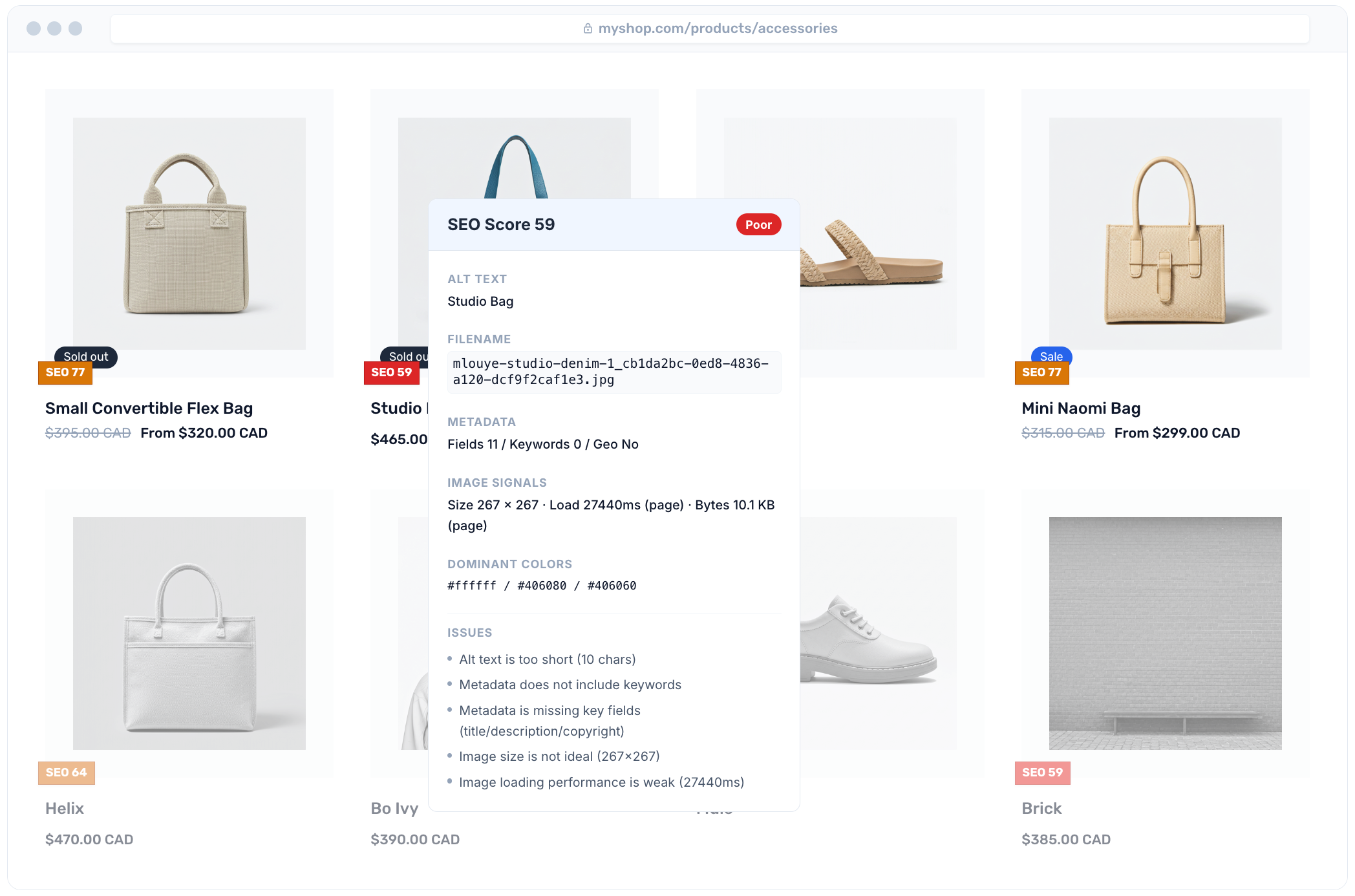
Purpose-built checks that make ecommerce image optimization actionable, repeatable, and fast.
Marker overlays appear where each product image is rendered. Hover to trigger a fast review path and inspect SEO issues in live page context.
Weighted scoring shows how each signal contributes. If some signals are unavailable, results are dynamically normalized so the score remains explainable and fair.
Parse EXIF, IPTC, and XMP details without leaving the page. WebP metadata fallback and local processing keep checks practical across real storefront assets.
Numeric IDs, dimension strings, and hash-like filenames are treated as hard failures. Use naming conventions that scale cleanly across catalogs and teams.
Free core already covers day-to-day audits. Pro roadmap focuses on export, collaboration, and multi-store workflow speed.
Install the extension and start reviewing image SEO signals on product images.
Install Chrome Extension — It's FreeFree core is available now. No signup required.
Install Free core for local, on-page image audits. Advanced workflows are on the roadmap.
Inspect image markers, score breakdowns, filenames, and metadata while browsing your storefront.
Bulk reports, CSV export, and team collaboration are planned Pro workflows. They are not included as available features here. This page does not currently provide a paid checkout.
Everything you need to know about ImgSEO.
Free core includes on-page image markers, explainable scoring for available image and page signals, filename hard-rule checks, metadata inspection with WebP fallback, and actionable recommendations.
Each image is evaluated with weighted signals. When some signals are unavailable, ImgSEO normalizes the result across available weights so scoring stays fair and explainable.
Non-semantic patterns such as numeric IDs, dimension strings, and hash-like names are treated as hard failures to keep naming quality enforceable.
Some pages restrict browser signals such as resource timing or pixel access. ImgSEO marks those dimensions as unavailable instead of guessing.
For very large assets, ImgSEO uses a lightweight path to keep checks responsive while still reporting core optimization issues.
No. Analysis runs locally in extension context and does not upload your product images or business data.
Pro workflows such as bulk reporting, export, and team collaboration are planned. This page does not currently provide a paid checkout.
Free core is available for daily audits. Planned Pro workflows focus on reporting, export, and team collaboration.
Available on Chromium-based browsers.


